> ## Documentation Index
> Fetch the complete documentation index at: https://docs.firstresonance.io/llms.txt
> Use this file to discover all available pages before exploring further.
# Create a step
> Add a step to a procedure and configure it as a content step or a datagrid step.
## Add a step
1. While editing a procedure, click **Add Step** at the bottom of the steps list, or hover over an existing step and use its **...** actions menu to **Add step below** or **Add child step**. The **Add Step** dialog opens on the **Create New** tab.
2. Enter the **Step Name** and choose the **Step Type**, Content or Datagrid. Optionally set a **Location** and toggle **Outside Processing Step**.
3. Click **Create Step**.
To reuse an existing step instead of creating a new one, switch to the **Add Existing Step** tab and search for the step to copy. See [Copy a step](/build-hardware/procedures/steps#copy-a-step).
## Configure the step
Configure the step based on the type you chose.
Content steps hold written instructions. The content box supports text formatting: colors, lists, fonts, pictures, and tables.
When using **tables** in steps, set them up in Google Sheets and paste them in. Excel is less reliable because formatting isn't copied over, though the content still works.
### Attachments
Attach reference files to a step from the **Attachments** panel. Click **Browse files** to upload a file, or **Take a photo** to capture one.
Datagrid steps collect tabular data. Each cell is a field an operator fills in when the procedure is run.
### Columns
A datagrid supports any number of columns. Each column has a name and a data type, and can be set **Read only** so it can't be edited when the step runs.
### Rows
A datagrid supports any number of rows. Use the **Required** toggle to require a row be filled in when the step runs.
Both step types can collect operator input through data-collection fields. See [Step field types](/build-hardware/procedures/steps/fields) for the full list.
## Old ION compatibility
Content steps support rich formatting, such as to-do lists, headers, tables with merged and colored cells, toggles for hidden content, code blocks, block quotes, callouts, and a table of contents.
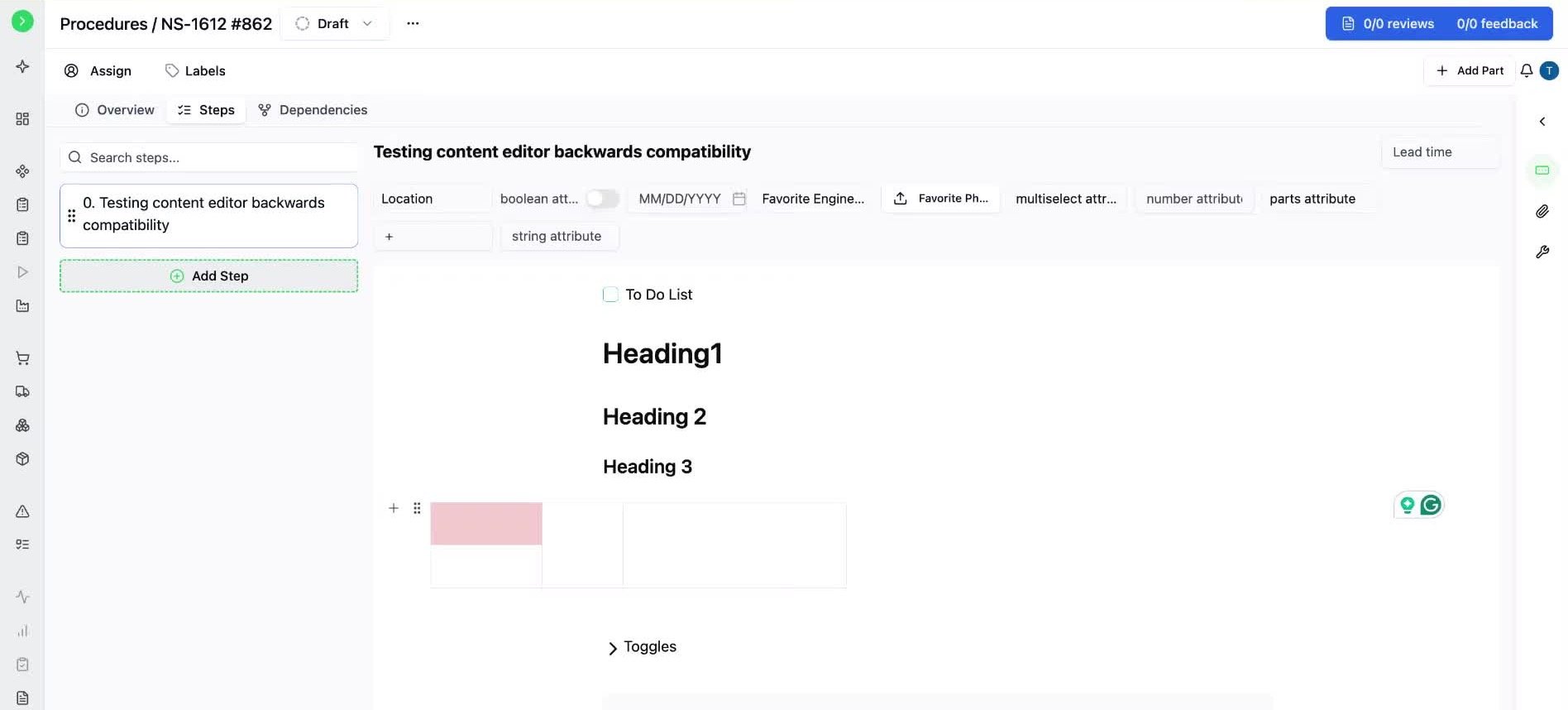 A procedure you draft here, along with its runs, can behave differently in Old ION. Rich formatting does not carry over: to-do lists lose their checkboxes, headers and tables lose their formatting, and toggles, code blocks, block quotes, callouts, and the table of contents do not appear.
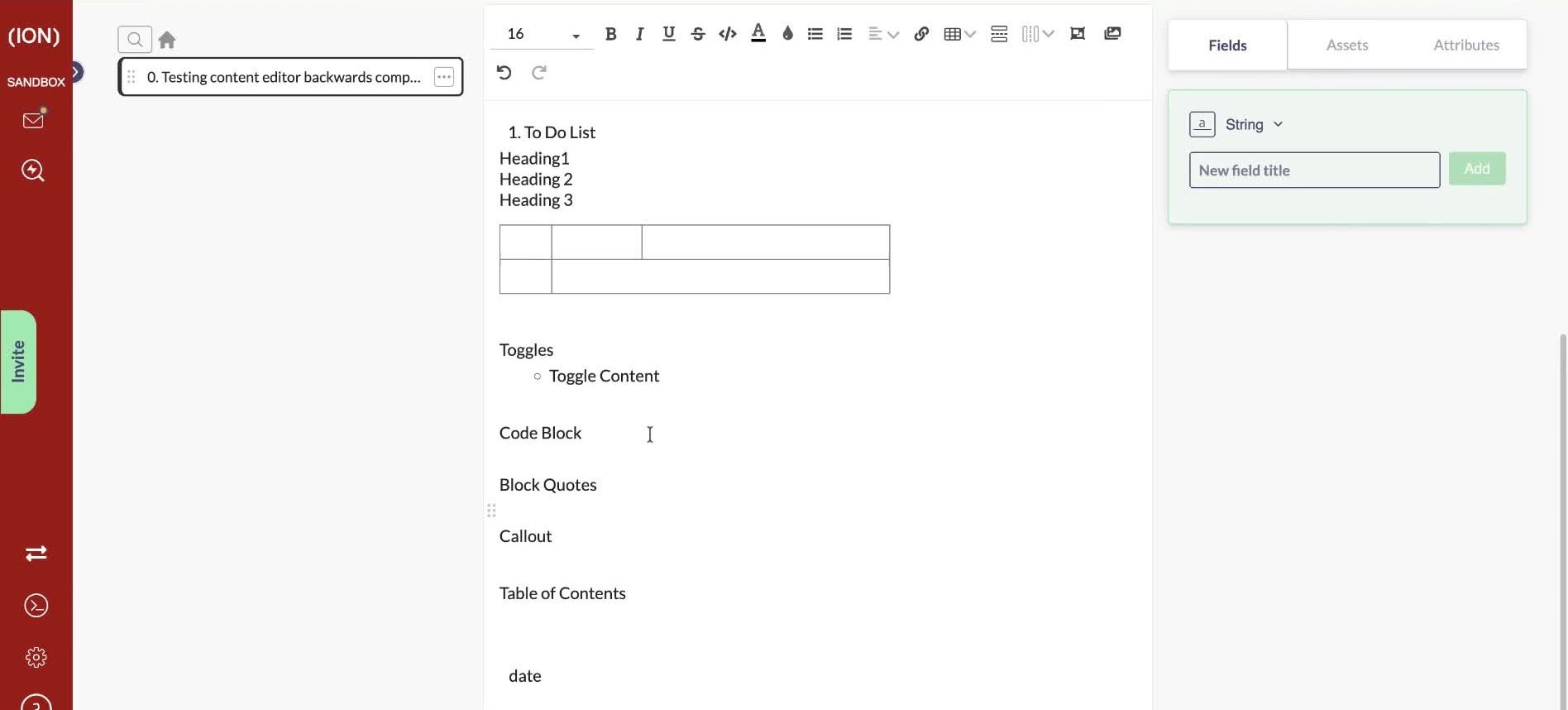 If your team still works in Old ION, check how a procedure renders there before relying on this formatting in production work instructions.
[Watch the walkthrough](https://www.loom.com/share/9381d2caf8df4273a37f037cab2fc2cc)
## Related
* [Manage procedure steps](/build-hardware/procedures/steps)
* [Step field types](/build-hardware/procedures/steps/fields)
* [Standard steps](/build-hardware/procedures/standard-steps)
If your team still works in Old ION, check how a procedure renders there before relying on this formatting in production work instructions.
[Watch the walkthrough](https://www.loom.com/share/9381d2caf8df4273a37f037cab2fc2cc)
## Related
* [Manage procedure steps](/build-hardware/procedures/steps)
* [Step field types](/build-hardware/procedures/steps/fields)
* [Standard steps](/build-hardware/procedures/standard-steps)