Manage projects
- In ION, go to Settings > Supply Chain > Projects.
- To add a project, click Create Project and enter its code and title.
- To edit a project, click its code.
- To retire a project, click the archive icon on its row. It moves to the Archived tab, where Unarchive brings it back.
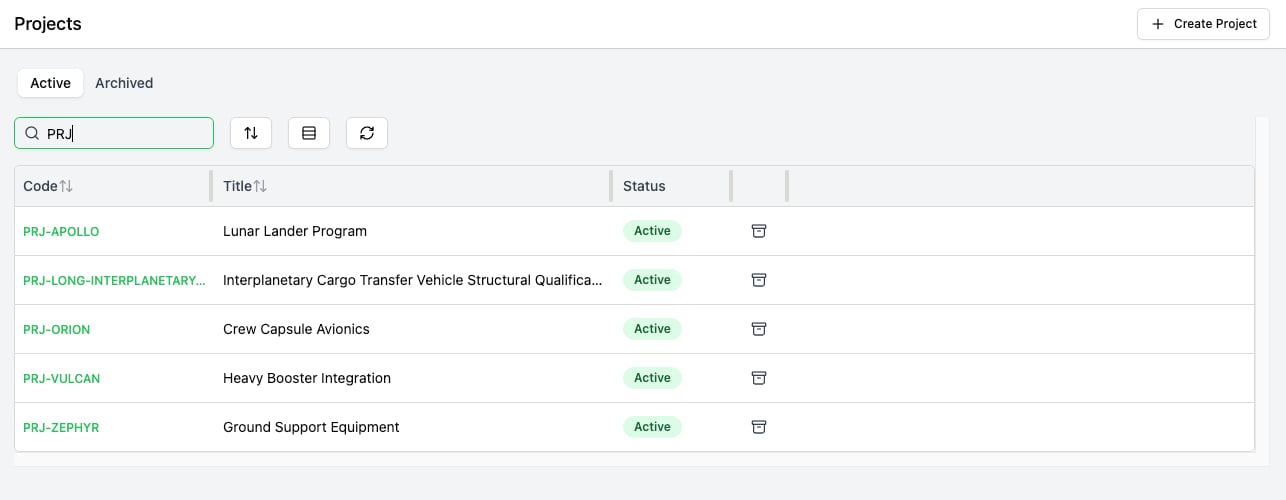
The Projects settings page, with Active and Archived tabs.
Manage charge accounts
Charge accounts have no settings page yet. They’re maintained through the API:createChargeAccount takes a code, a title, and optionally archived; updateChargeAccount takes the account’s id and etag plus any of those fields; and deleteChargeAccount takes an id and etag. Archiving a charge account works the same way as archiving a project.
Retire an entry: archive, don’t delete
Archive a project or charge account to retire it. The API also hasdeleteProject and deleteChargeAccount, but a delete is refused while any purchase order line still uses the entry, so it only works on entries that were never used.