When to turn enforcement on
The two settings answer different questions, so they are worth deciding separately. Enforce can hold inventory is about where stock is allowed to be. Turn it on when your location tree contains places that are not real storage, such as in-transit nodes, work centers, staging areas and scrap, and an operator parking stock there would misstate where your inventory is. Leave it off if your floor legitimately puts inventory anywhere and you would rather not block a move at the moment someone is making it. Enforce pickable is about where stock may be taken from. Turn it on when some inventory is physically present but must not be consumed: quarantine, inspection hold, customer-owned stock, or a bin that only a supervisor should open. Leave it off when everything on the floor is fair game for a kit.Turn the switches on your locations first, then turn enforcement on. Enforcement applies to
locations as they are marked today, so a floor that has not been marked up yet will either reject
moves it should allow, or keep pickable stock out of kits.
Configure location constraints
- In ION, go to Settings > Supply Chain > Locations.
- Turn on Enforce can hold inventory to stop inventory from being allocated or moved into locations that aren’t marked as able to hold inventory.
- Turn on Enforce pickable to exclude inventory stored at locations that aren’t marked pickable from kitting and pick lists.
What each setting enforces
Enforce can hold inventory applies wherever inventory gets a location:- Setting a location on an inventory record fails when that location isn’t marked Can Hold Inventory, including through the parts inventory importer.
- The location pickers used to receive parts, add or split inventory, add tool inventory, and set a kit’s current location list only locations that can hold inventory.
- Turning off Can Hold Inventory on a location that still holds inventory fails. Move the inventory out first.
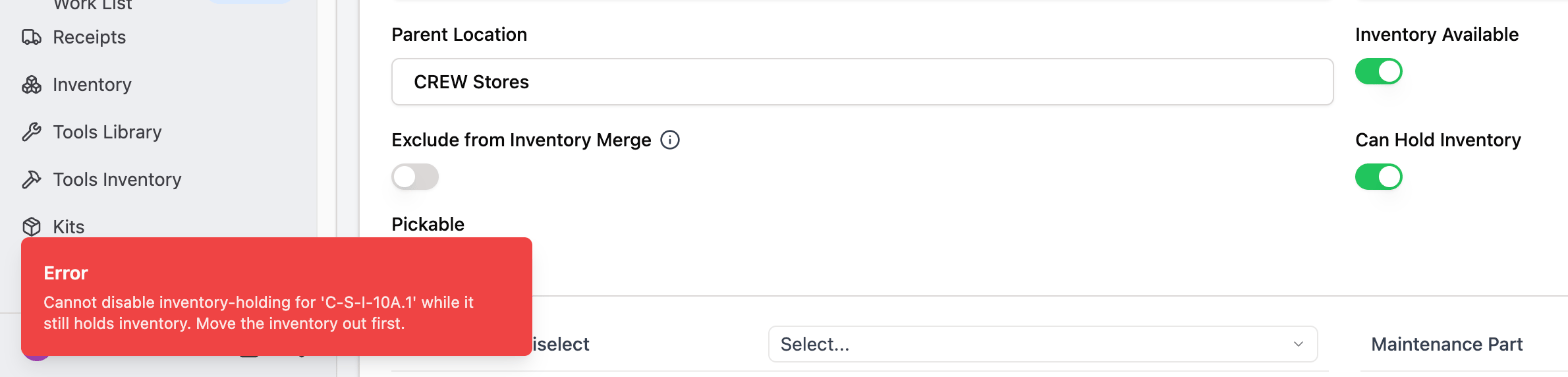
With enforcement on, turning off Can Hold Inventory on a bin that still holds stock is refused and the switch stays on.
- Adding inventory to a kit fails when the inventory sits at a location that isn’t marked Pickable.
- Kit pick lists, pick runs and a kit’s fillability skip inventory at locations that aren’t marked pickable.
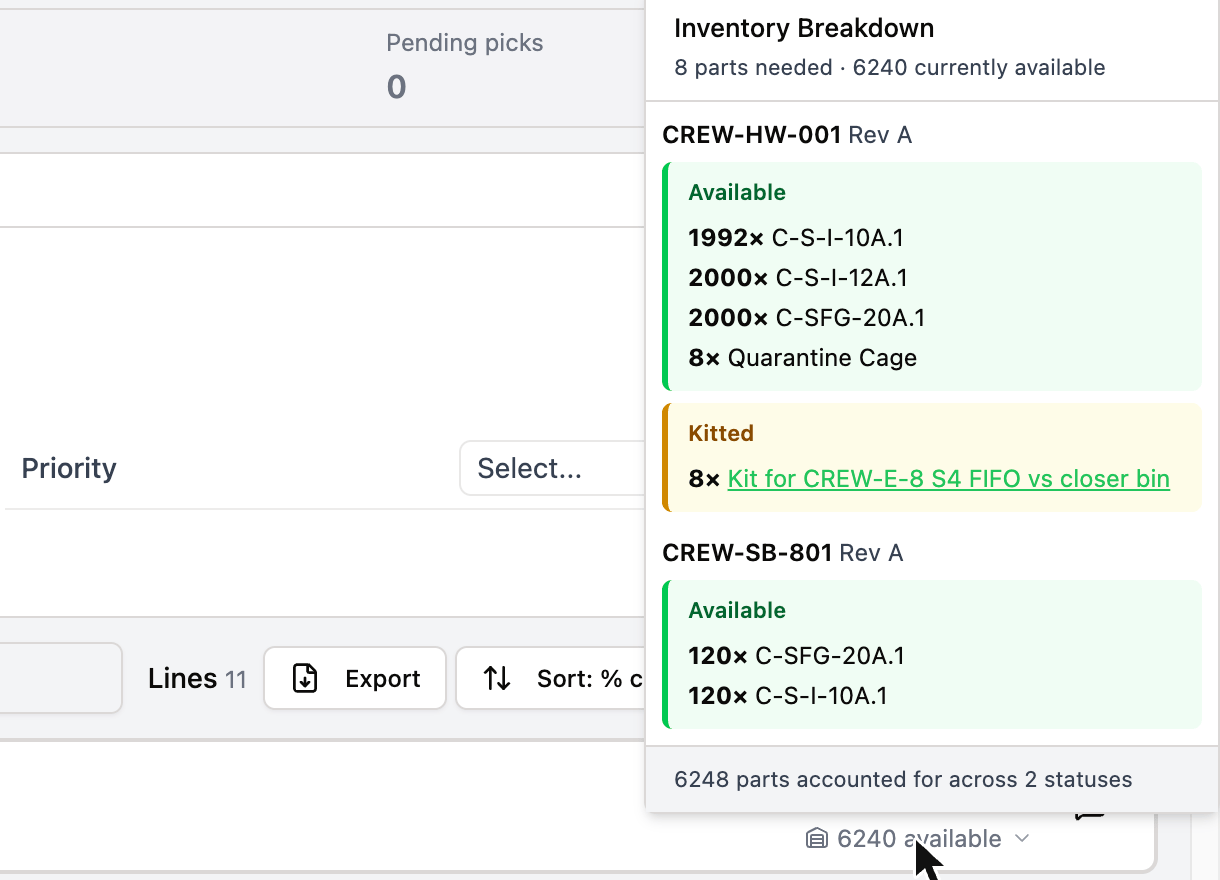
Enforce pickable is on, yet the kit line's breakdown lists 8 units at Quarantine Cage, a location that isn't pickable, as available.
Pickable also decides what the pick order can sequence. Only pickable, unarchived locations are stops on a walk, so only those take a pick order. See Manage locations.